3D Web Design: Boost Engagement with Interactivity
Picture this: you’re scrolling through another online store. Flat product grid, white background, the same familiar “Add to Cart” button. It’s a clean layout, sure, but you feel completely disconnected. You’ve seen this exact design a dozen times today alone, and your cursor is already drifting toward the back button.
Now, what if you could grab a product with your mouse, rotate it in 3D space, and see the light realistically glint off its surface? This isn’t just about adding a flashy animation. It’s a deliberate shift from passive viewing to active participation. For years, web design chased minimalism, but we’re now strategically reintroducing depth, using the browser’s rendering engine not for spectacle, but to create intuitive, physics-based interactions that feel satisfying and real.
This is where your brand can truly stand out. We’ll show you how to thoughtfully apply 3D and motion to guide your users, not just distract them. You’ll learn the principles for creating interactive experiences that transform a passive visitor into an engaged customer, making your site feel less like a page and more like a place.
Beyond the Flat Screen: What is 3D Web Design?
I remember the first time I saw a website that wasn’t just a clever layout with some drop shadows. It was a product page for a high-end watch, and I could click and drag to turn it over, watch the light glint off the metallic finish, and see the intricate gears move through the back. The screen didn’t feel like a barrier; it felt like a window into a small, tangible world. That’s the moment the concept of 3D web design really clicked for me.
For two decades, web design has been a fundamentally flat practice. We work on an X-axis (width) and a Y-axis (height). 3D web design introduces the Z-axis, creating genuine depth and turning the browser into a navigable space. It’s the difference between looking at a photograph of a room and actually stepping inside it. This isn’t about gimmicks; it’s about creating a sense of place and physicality that helps users understand context, scale, and form in a way 2D simply cannot.
When you give a user the ability to rotate a sneaker to inspect the stitching or walk through a virtual architectural model, you’re providing a richer, more informative experience. This spatial awareness makes digital interactions feel more intuitive and memorable.
The Tools Behind the Magic
So, how does this all work without crashing your browser? The foundation is a technology called WebGL (Web Graphics Library), a low-level API that grants developers access to a computer’s graphics processing unit (GPU) directly from JavaScript. But writing raw WebGL is notoriously complex. That’s where helpful frameworks come in:
Three.js: Think of this as the jQuery for 3D. It’s a massive JavaScript library that simplifies the process of creating and displaying 3D graphics, handling the camera, lighting, and materials for you.
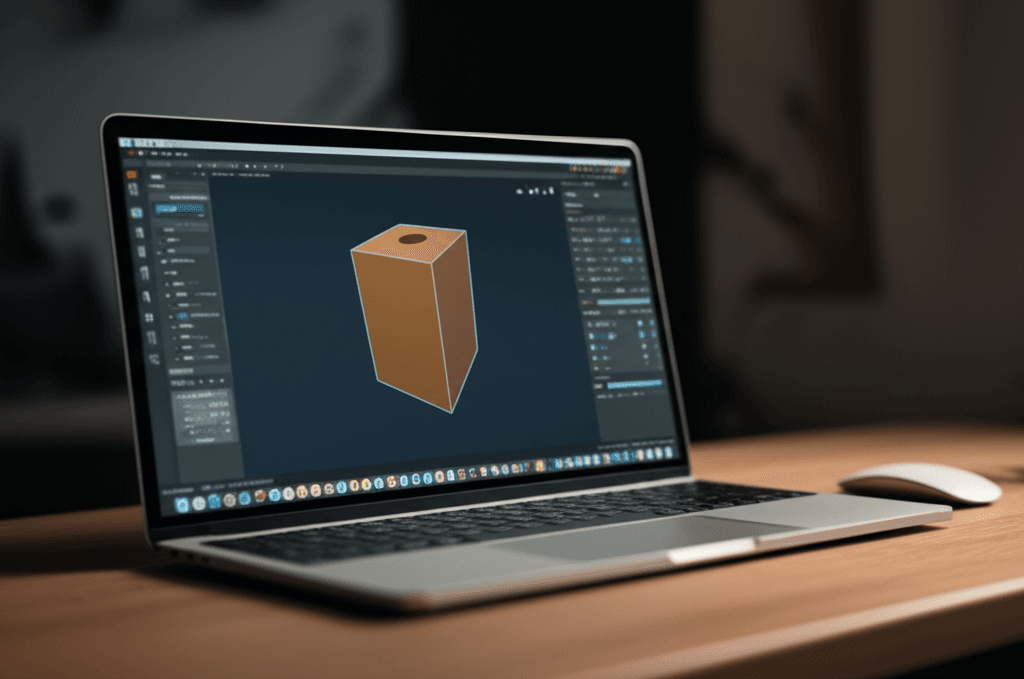
Spline: A newer, more design-friendly tool that feels a lot like Figma but for 3D. It allows designers to build and export interactive 3D scenes with a visual editor, making the entire process far more accessible.
By using these tools, we can finally move beyond the flat rectangle and build websites that have depth, motion, and a genuine sense of presence.
The Psychology of Interaction: Why Motion & Depth Captivate Users
I was in a quiet library once, completely absorbed in a book, when a single piece of paper slowly slid off a nearby table and fluttered to the floor. Every head in my section, including mine, snapped toward the movement. We couldn’t help it. Our brains are ancient machines built for survival, and that machine has a powerful, involuntary switch called the orienting reflex. It’s the deep-seated instinct that makes us notice the rustle in the bushes or, in this case, a falling piece of paper. On the web, a button that subtly glows on hover or a card that flips over is that rustle. It’s a cognitive hook we can’t ignore.
And this is where things get practical. By thoughtfully using motion and 3D elements, you are speaking your user’s native, non-verbal language. You’re moving beyond flat text and images to create a sense of digital tangibility, making abstract concepts or products feel more real.
From Primitive Reflex to Purchase Intent
Consider a site selling high-end headphones. A static image and a bulleted list of features are standard. But imagine being able to grab the headphones with your cursor, rotate them 360 degrees, see the light glint off the polished aluminum, and click to watch the earcups smoothly fold. You’re no longer just a passive observer; you are an active participant. This interaction transforms a product from a picture into a possession you can almost feel.
This approach also drastically reduces cognitive load. Instead of forcing a user to read a dense paragraph explaining a complex data visualization, you can present that same information spatially. Let them fly through a 3D bar chart or rotate a node graph to see connections for themselves. By doing this, you’re not just showing them information; you’re giving them a mental model they can explore and understand intuitively. It’s the difference between reading a map and actually walking through the city.
Practical Magic: 4 Key Types of Interactive 3D Elements
I remember a time when making a button change color on hover felt like a minor miracle. We’d spend hours perfecting tiny animations, thinking we were at the peak of user engagement. And for a while, we were. We had flat screens, and we designed flat experiences for them. But here’s where it gets interesting. The tools we use today, powered by frameworks like Three.js and Babylon.js, allow us to break free from that two-dimensional box entirely. We can now craft experiences that have weight, texture, and a genuine sense of place.
Thinking in 3D isn’t just about flashy graphics; it’s about solving user problems in more intuitive ways. Here are four applications I’ve seen work wonders:
3D Product Configurators
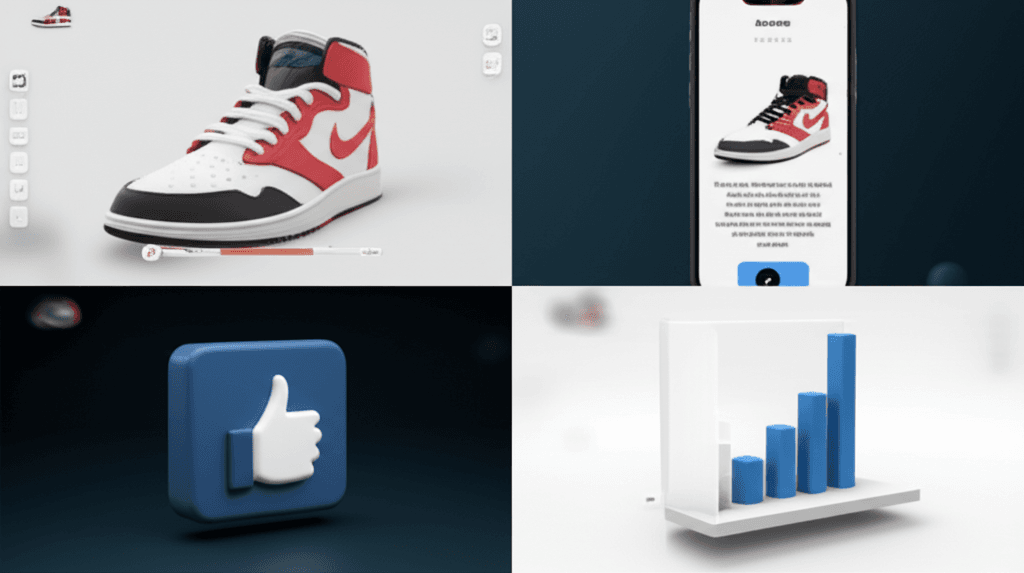
This is the most direct commercial application. Instead of static images, you give customers a digital twin of a product they can manipulate. Think of a high-end sneaker company letting you spin the shoe around, change the lace color, and see the light glint off a custom patent leather finish. The user feels a sense of ownership before they even click “buy.”
Interactive Storytelling (Scrollytelling)
Scrollytelling uses the user’s scroll action to drive a narrative. As you move down the page, a 3D model might assemble itself piece by piece, or the camera might fly through a complex scene to reveal new information. It turns a passive reading experience into an active journey of discovery, making complex stories feel personal and engaging.
Gamified Microinteractions
Small actions deserve delightful feedback. Why have a boring “Added to Cart” notification when the button can playfully bounce and transform into a shopping cart that zips off-screen? These small, physics-based 3D interactions inject personality into a site and make mundane tasks feel rewarding. It’s about adding a touch of joy.
Immersive Data Visualizations
Bar charts are fine, but what if you could walk through your data? Imagine a financial report represented as a 3D city, where the height of each building corresponds to revenue. Interactive 3D can transform abstract numbers into a tangible, explorable space, making it easier for users to spot trends and grasp complex relationships at a glance.
Measuring the ROI of Immersion: Key Engagement Metrics to Track
I once worked with a furniture company that was on the fence about a 3D product configurator. The CMO loved the idea, but the CFO saw it as a costly art project. “It looks great,” he said, tapping his pen on the table, “but how do we know it’s not just an expensive distraction?” He had a point. All the visual flair in the world is just noise if it doesn’t support the business. Speaking of which, connecting beautiful design to bottom-line results is entirely possible, you just have to measure what matters.
From Passive Viewing to Active Exploration
The first and most obvious metric is Dwell Time. When you give someone a 3D model to spin around or an environment to explore, they simply stay longer. It’s human nature. But we’re not just looking for a higher Time on Page statistic. We’re looking for a shift from passive scrolling to active investigation. A long dwell time, paired with high interaction, shows that users are genuinely captivated, not confused. They are spending quality time with your product, absorbing details they’d miss in a static photo gallery.
Tracking the Touches, Clicks, and Drags
This is where we get specific. Your analytics setup should go beyond pageviews. We need to track the Interaction Rate on the 3D elements themselves. Using event tracking in a tool like Google Analytics 4, you can monitor every little action: a click on an annotation, a drag to rotate an object, a zoom to inspect a texture. For that furniture company, we set up events to track every time a user changed the fabric on the 3D sofa. We learned that users who customized the sofa at least twice were far more likely to proceed to checkout. This data isolates the most engaged prospects.
Connecting Engagement to the Bottom Line
Ultimately, it all comes down to core business KPIs like Conversion Rate and Bounce Rate. The goal is to prove a direct correlation: do the people who play with your interactive elements buy more? For the furniture client, the answer was a resounding yes. Visitors who used the 3D configurator had a conversion rate 18% higher than those who didn’t. Simultaneously, the bounce rate on that product page dropped by nearly half. People arrived, were immediately drawn in by the interactive model, and felt compelled to explore further. The “expensive distraction” had become their most effective sales tool.
Getting Started: Tools and Best Practices for Your First 3D Project
I still remember my first real attempt at a 3D web element. It was a spinning product model for a boutique watch site. I spent days getting the metallic sheen just right, only to discover the final file was a monstrous 50MB and brought the entire page to a grinding halt. That was a tough lesson. It taught me that on the web, performance and thoughtful implementation matter just as much as the artistry itself.
Choosing Your Toolkit
Your first decision is a classic fork in the road: code or no-code? If you’re a developer comfortable in the JavaScript world, a library like React Three Fiber gives you immense power. It lets you build 3D scenes with reusable components, offering granular control over every animation, camera movement, and user interaction. On the other hand, if you’re more visually inclined or on a tight deadline, platforms like Spline or Webflow are excellent. They provide a visual editor where you can import models, apply materials, and define interactions without writing code. Just be aware that this speed often comes with some creative limitations.
Performance is Paramount
Don’t repeat my 50MB mistake. A beautiful 3D experience that no one waits around to see is just a waste of effort. The goal is to keep things light and fast. Here are a few hard-won rules I now live by:
Model Optimization: Keep your polygon count reasonable. For a main hero asset, I aim for under 100,000 polygons. You can use tools like Blender to “decimate” or simplify a model before you export it.
File Formats: Use glTF (or its binary cousin, .glb). Think of it as the JPEG of 3D for the web—it’s efficient and widely supported.
Compression: Always use compression. A technology called Draco, developed by Google, can dramatically shrink the geometric data in your models, often reducing file sizes by over 70%.
Accessibility in 3D
An immersive scene can easily become an exclusionary one. What does your creation feel like for someone using a screen reader or only a keyboard? Your 3D element isn’t exempt from web standards. Ensure users can `Tab` to and from interactive points within your scene. Use ARIA attributes to describe objects and their functions. For instance, an interactive hotspot on a 3D product could have an aria-label=”View technical specifications”. It’s also good practice to respect the `prefers-reduced-motion` media query, offering a simpler experience for users sensitive to movement.
A New Dimension of Connection
I remember stumbling upon a product page where the watch on screen tilted and caught the light as I moved my mouse. I must have played with it for a full minute. That single interaction did more than any block of text could; it made the digital feel tangible. This is the real power of depth and motion: it transforms your website from a static document into a dynamic environment. It’s about creating a space where your audience doesn’t just read, they feel and explore.
The tools are here, the possibilities are expanding. The only real question left is, what world will you build for your users to discover?
Ready to add a new dimension to your website? Contact our design experts to explore how 3D and interactive elements can transform your user engagement.
Frequently Asked Questions
Does 3D web design hurt SEO?
Not if implemented correctly. Core SEO principles like site speed, mobile-friendliness, and accessible content still apply. Properly optimized 3D assets and fallback content for non-supporting browsers ensure a positive SEO impact by increasing user engagement signals like dwell time.
What is WebGL?
WebGL (Web Graphics Library) is a JavaScript API that allows web browsers to render high-performance, interactive 2D and 3D graphics without the need for plug-ins. It's the foundational technology that makes modern 3D web experiences possible.
Is 3D web design only for e-commerce and product sites?
No. While excellent for product showcases, 3D elements are incredibly versatile. They can be used for interactive storytelling on news sites, portfolio showcases for creatives, complex data visualization for tech companies, and creating memorable brand experiences for any industry.