A potential customer clicks your ad, ready to make a purchase. They wait one second, then two. Frustrated, they hit the back button, and your competitor just won your business. This isn’t a rare occurrence; Deloitte Digital found that a mere 0.1-second improvement in site speed can boost retail conversions by 8.4%. The financial cost of a slow website is staggering, and the difference between a bounce and a sale is measured in milliseconds.
Achieving a sub-2-second load time goes far beyond simply compressing a few images. It requires a disciplined, technical approach that addresses everything from your server’s Time to First Byte (TTFB) to the browser’s critical rendering path. You must look beyond simple page load numbers and master Google’s Core Web Vitals—Largest Contentful Paint (LCP) and Cumulative Layout Shift (CLS)—to truly deliver a superior user experience that search engines will reward.
This is your technical roadmap. We will bypass the generic advice and give you the specific, actionable methods to audit your asset delivery, defer non-critical CSS, and implement advanced caching strategies. You will learn precisely how to diagnose performance bottlenecks and apply the fixes that move the needle, turning those frustrating load screens into instant engagement.
Foundation: Auditing Your Speed & Core Web Vitals
According to research from Deloitte, improving your site’s load time by just 0.1 seconds can boost conversion rates by 8%. This isn’t a minor tweak; it’s a significant performance gain tied directly to revenue. Before you can start optimizing, you need to establish a clear baseline. This audit is your starting line, revealing precisely where the performance drag is before you change a single line of code.
Understanding Your Report Card: Core Web Vitals
Google uses a set of specific metrics called Core Web Vitals to measure real-world user experience. These directly influence your search rankings because they quantify a user’s perception of your site’s performance. The three pillars are:
Largest Contentful Paint (LCP): Measures loading performance. It marks the point when the page’s main content has likely loaded. A good LCP is 2.5 seconds or less.
First Input Delay (FID): Measures interactivity. It quantifies the experience users feel when trying to interact with an unresponsive page. Note: FID is being replaced by Interaction to Next Paint (INP) in 2024.
Cumulative Layout Shift (CLS): Measures visual stability. It looks for unexpected movement of page content as it loads. A low CLS score ensures a smooth experience.
Your Auditing Toolkit
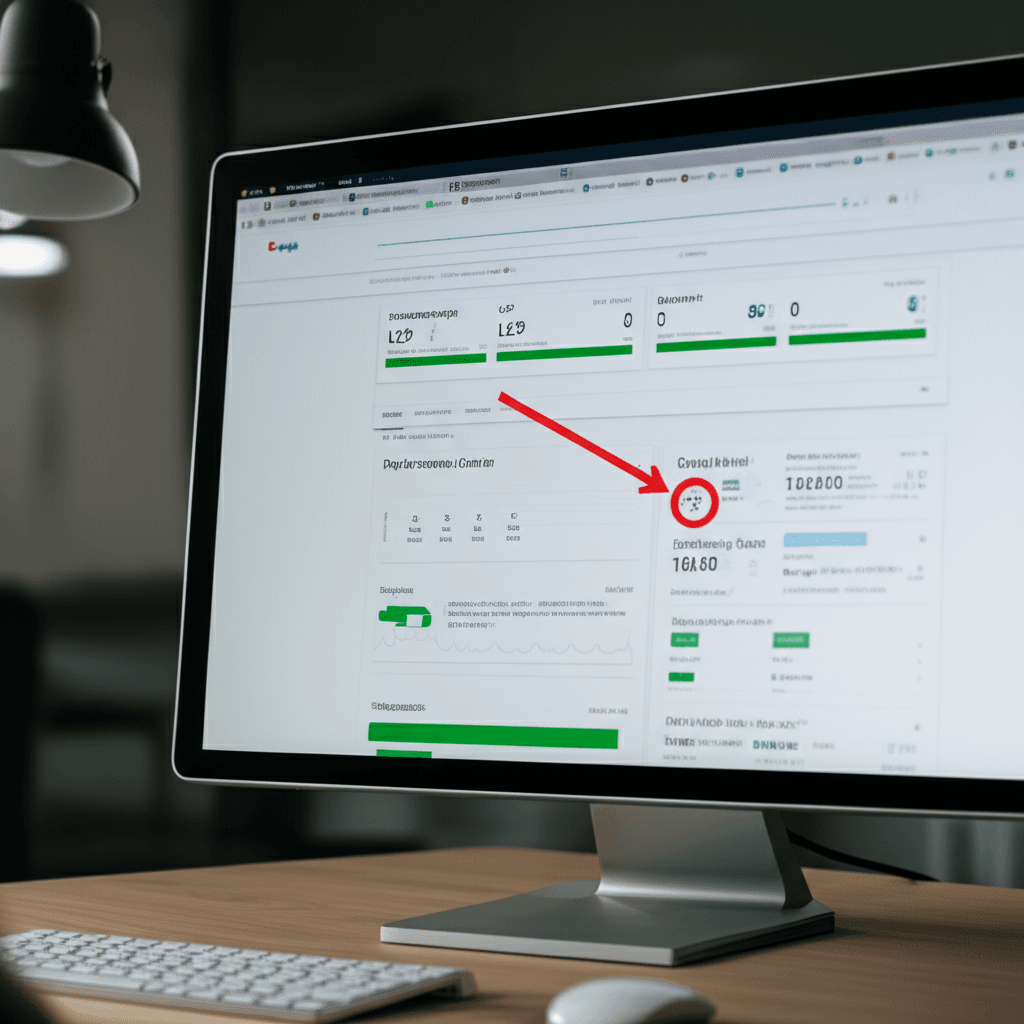
You don’t need a complex setup to get started. Three free tools provide everything you need. Google PageSpeed Insights is essential because it shows you both lab data (a simulated test) and field data (real-user data from the Chrome User Experience Report). GTmetrix offers excellent waterfall charts that visualize how assets load sequentially. For deep diagnostics, WebPageTest is the professional’s choice, allowing you to test from different locations and connection speeds.
Finding the Bottlenecks
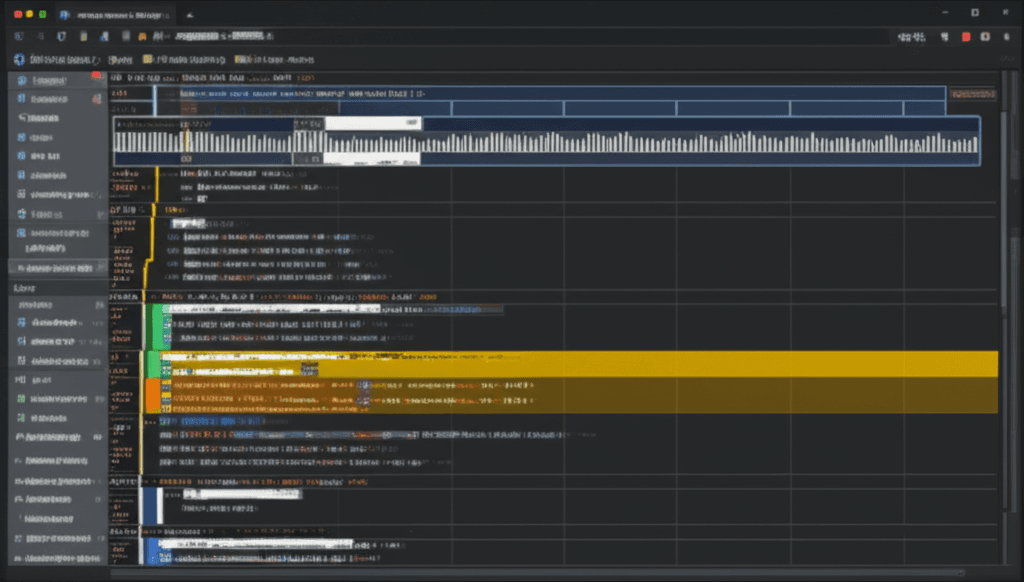
Your goal is to identify the biggest problems first. Run your main pages through these tools and look at the waterfall chart. See a long, initial purple bar for Time to First Byte (TTFB) in GTmetrix? That points to a slow server or database query. See a massive JavaScript file blocking everything else from loading? That’s a front-end code issue. This initial analysis tells you whether to focus on your hosting infrastructure or your theme and plugin code first.
Did you know that images alone account for nearly half the total weight of the median web page? According to the HTTP Archive, we’re sending megabytes of pixels before a user can even scroll. Here’s what really matters though: most of that initial download is completely unnecessary. Optimizing these front-end assets is the most direct way to improve what your users actually experience.
Mastering Your Media
Image optimization is more than just running a file through a compressor. Start by choosing the right format. Use modern formats like WebP or AVIF, which can offer a 25-50% size reduction over older formats like JPEG with comparable quality. For images with transparency, PNG is still a solid fallback. Next, implement responsive images using the <img> tag’s srcset attribute. This allows the browser to download a smaller image for a mobile screen and a larger one for a 4K desktop, preventing a phone from downloading a massive 1MB hero image it can’t even display properly.
Then, you can defer what isn’t immediately visible. For all images and iframes that are “below the fold,” add the simple attribute loading="lazy". This tells the browser not to download that asset until the user scrolls near it. Just be careful not to apply this to your main hero image or anything in the initial viewport, as that can delay your Largest Contentful Paint (LCP).
Handling Scripts and Styles
By default, JavaScript files block the browser from rendering the rest of your page while they are being downloaded and executed. You can prevent this with two attributes: async and defer. A script with async will execute as soon as it’s downloaded, potentially interrupting the page build. A script with defer waits to execute until after the entire HTML document has been parsed. For most third-party scripts, defer is the safer and more predictable choice. For your CSS, it’s common for a site to load a single large file containing styles for every component, even ones not on the current page. Tools in modern frameworks or stand-alone processors can automatically remove this unused CSS, often shrinking stylesheet size by over 70%.
A Smart Font Loading Strategy
Web fonts are a frequent cause of a poor user experience. If not handled correctly, the browser will hide your text until the custom font file has finished downloading, creating a “flash of invisible text” (FOIT). The fix is surprisingly simple. Add the font-display: swap; descriptor to your @font-face rule. This instructs the browser to immediately display the text with a fallback system font, then swap in your web font once it arrives. The content is readable instantly. No more blank paragraphs.
According to research from Google, 53% of mobile visitors will abandon a page that takes longer than three seconds to load. You’ve optimized your images and fonts, but wait — there’s more to consider. The very code that builds your site and the network path it travels are massive factors in hitting that sub-two-second goal. It’s not just about what you load, but how you deliver it.
Shrinking Your Codebase
Your code files are often full of characters that help developers read them but do nothing for the browser. This includes whitespace, comments, and long variable names. Minification is the automated process of stripping these out. For a typical JavaScript or CSS file, effective minification can reduce its size by 30-60%, a significant saving with zero impact on functionality. Another classic technique is concatenation, which combines multiple CSS or JavaScript files into one. This reduces the number of HTTP requests a browser must make. While less critical with modern HTTP/2 and HTTP/3 protocols that handle multiple requests more efficiently, it remains a sound practice for sites on older server configurations.
Leveraging Browser Caching
Why make a user re-download your logo or main stylesheet every time they visit a new page? With browser caching, you don’t have to. By configuring your server to send the right `Cache-Control` headers, you can instruct a user’s browser to store static files locally for a set period. For returning visitors, this is a game-changer. Instead of fetching assets from the network, the browser loads them directly from its local disk, making subsequent page loads feel almost instantaneous. Setting a long expiry time (e.g., one year) for assets that rarely change is a common and highly effective strategy.
The Power of a CDN
A Content Delivery Network (CDN) solves the problem of physical distance. If your server is in Virginia, a user accessing it from Singapore faces significant latency as data travels across the globe. A CDN mitigates this by distributing copies of your static assets — images, CSS, JavaScript — to a global network of servers. When the user from Singapore visits, they download those assets from a nearby server in Asia, not Virginia. Studies consistently show CDNs can reduce latency and improve load times by over 50% by drastically cutting the round-trip time for resource requests.
Google’s research shows that a delay in Time to First Byte (TTFB) directly correlates with lower conversion rates. While we spend countless hours optimizing front-end assets, a slow server response can undo all that hard work before a single pixel is even rendered. But here’s where it gets interesting: your backend infrastructure is often the lowest-hanging fruit for dramatic speed improvements.
Choosing Your Foundation: Hosting
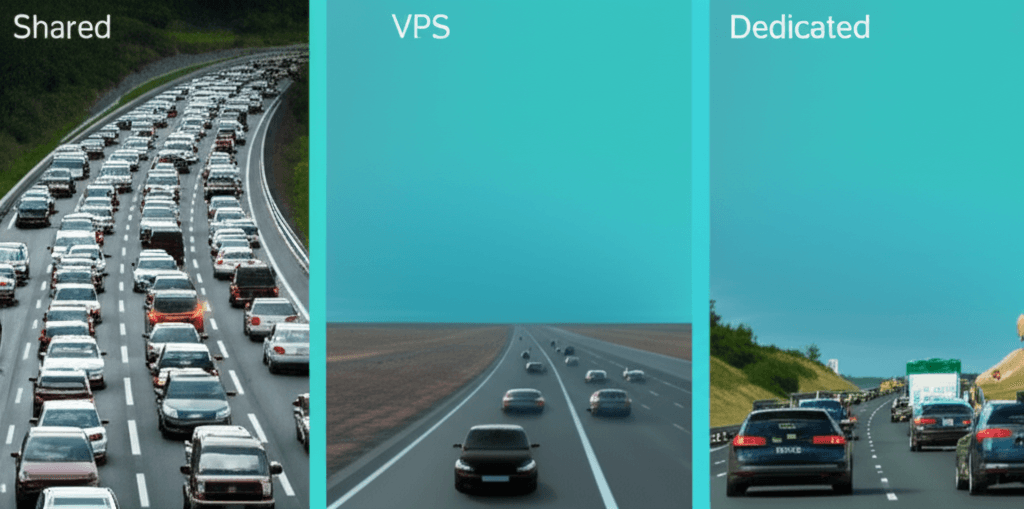
Your hosting is the literal foundation of your site’s performance. On shared hosting, your site competes for resources with hundreds of others, often resulting in TTFB times exceeding 600ms. Moving to a Virtual Private Server (VPS) or dedicated server provides guaranteed CPU and RAM, giving you direct control over the environment and a stable, low TTFB. If you see high “Waiting (TTFB)” times in your browser’s developer tools, your hosting is the first place to investigate.
Shrinking Data on the Fly: Compression
Before sending files to the browser, your server should compress them. Enabling Gzip or, preferably, Brotli compression is a non-negotiable step. Brotli, developed by Google, regularly shows 15-25% better compression ratios than Gzip for HTML, CSS, and JavaScript files. This means smaller transfer sizes and faster downloads for the user, accomplished with just a few lines in your server configuration file.
Backend Engine Tuning: Software & Databases
Running outdated software is like driving with the handbrake on. Upgrading from PHP 7.4 to PHP 8.1 can increase requests-per-second by over 30% in some frameworks like WordPress or Laravel. Your database is another common bottleneck. For example, a WordPress site with years of accumulated post revisions and transient options in its `wp_options` table can slow database queries to a crawl. Regularly optimizing your database tables, cleaning out old data, and implementing an object cache like Redis or Memcached can offload repetitive queries, drastically reducing server processing time and speeding up page generation for every single visitor.
Advanced Strategies: Pushing Past the 2-Second Barrier
Google’s research shows that a delay of just 100 milliseconds can drop conversion rates by 7%. Once you’ve handled the basics like image compression and caching, shaving off those final milliseconds requires a more aggressive approach. You’re no longer looking for big wins; you’re hunting for small, cumulative gains.
Give the Browser a Heads-Up with Resource Hints
Don’t wait for the browser to discover critical resources. Tell it about them in advance using resource hints in your document’s <head>. These act as high-priority instructions.
preconnect: Use this to establish a connection to a critical third-party domain (like Google Fonts) early. This handles the DNS lookup and SSL handshake before the browser even requests a resource from that domain.
preload: For a resource needed on the current page, like a specific font file or hero image CSS, preload tells the browser to fetch it immediately. Be selective; preloading non-critical assets can compete for bandwidth and slow things down.
Switch to HTTP/3
If your host supports it, enabling HTTP/3 is a significant performance upgrade. Built on the QUIC protocol, it eliminates the head-of-line blocking that can still plague HTTP/2, especially on mobile networks with packet loss. Cloudflare reports that HTTP/3 can make websites 12.4% faster than those on HTTP/2.
Inline Critical CSS
To achieve the fastest possible render, you must prevent render-blocking CSS. The most effective method is to identify the CSS required to style the above-the-fold content, inline it directly within a <style> tag in the <head>, and load the rest of your stylesheet asynchronously. This allows the browser to paint the visible part of the page almost instantly, drastically improving your First Contentful Paint (FCP) time.
Audit Third-Party Scripts Relentlessly
External scripts for analytics, ads, or customer support are often the single biggest drag on performance. Run a performance audit and ask tough questions. Does that A/B testing script, adding 500ms of blocking time, truly justify its impact? Consider alternatives or delay script execution until the first user interaction, such as a scroll or click. This keeps the initial load clean and fast.
From Theory to Tangible Speed
Consider this: Google found that as page load time climbs from 1s to 3s, the probability of a user bouncing skyrockets by 32%. This guide demonstrates that elite speed is not a one-off project; it’s the result of a disciplined, iterative process of optimization where every millisecond contributes to a better user experience and improved metrics. You now possess the technical blueprint for achieving this performance. Put it into practice today. Choose a single, high-impact task—like optimizing your homepage’s largest image—and implement the change. Then, run a fresh PageSpeed Insights report and witness the tangible difference you can make in just minutes.
Frequently Asked Questions
What is a good page load time in 2024?
An excellent page load time is under 2 seconds. A time between 2-4 seconds is acceptable, but anything over 4 seconds is considered slow and can lead to a high bounce rate.
How does website page speed affect SEO?
Page speed is a direct ranking factor for Google. Since 2021, Core Web Vitals (which measure user experience and speed) have been a key part of Google's algorithm. A faster site provides a better user experience, which Google rewards with higher rankings.
What is the easiest way to improve my website's speed?
The easiest and often most impactful first step is image optimization. Compressing your images and serving them in next-gen formats like WebP can dramatically reduce page size and improve load times without requiring deep technical knowledge.