Duplicate Content & Canonicalization: A Tech Guide
Picture this: you’ve spent weeks optimizing a key product page, only to see a version with tracking parameters and a trailing slash inexplicably outrank it in the SERPs. Your link signals are diluted, and your analytics are a mess. This isn’t just a minor glitch; it’s a symptom of a deeper duplicate content problem that silently sabotages your SEO performance. A common misstep is to throw a 301 redirect at everything, but that often masks the root cause, especially with faceted navigation or internationalization.
This is where true technical SEO comes in. We’re going to move beyond the simple advice and get into the mechanics of canonicalization. You’ll learn precisely how to use the rel="canonical" tag, when an XML sitemap declaration is a better signal, and how to resolve conflicting directives between hreflang and canonical tags—a mistake that trips up even seasoned professionals.
By the end, you won’t just be fixing symptoms. You will understand how search engines perceive your site architecture, enabling you to consolidate ranking power and present a single, authoritative version of every important page to Google.
What is Duplicate Content and Why is it an SEO Problem?
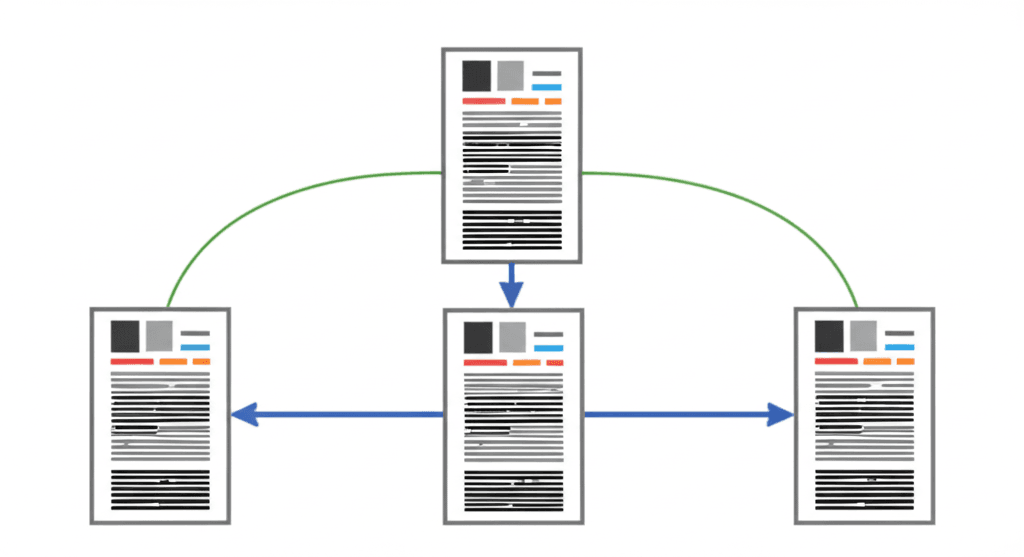
Let’s clear up a common misconception: duplicate content is rarely about a “penalty” in the way a manual action is. Instead, it’s about inefficiency and confusion. In technical terms, duplicate content refers to blocks of content that are either identical or appreciably similar, appearing on the internet on more than one URL. The problem isn’t the content itself; it’s that the same content lives at multiple addresses, forcing search engines to make a choice.
The Core SEO Problems It Creates
When Google encounters multiple pages with the same content, it creates three significant SEO issues. First, there’s indexation confusion. Search engines don’t know which of the identical pages is the original or “correct” one to show in search results. This can lead to the wrong page ranking, or worse, your pages cannibalizing each other’s performance for the same keywords. Second, you suffer from diluted link equity. If other sites link to your content, some might link to URL A while others link to URL B. This splits your authority, weakening the ranking potential of both pages. Consolidating those signals onto a single URL is fundamental for building page authority. Finally, you create wasted crawl budget. Search engine bots have finite resources; if they spend time crawling three identical versions of your services page, they have less time to discover and index new, unique content you’ve published.
Internal vs. External Duplication
Duplicate content falls into two main categories. Internal duplication is the most common and happens entirely on your own site. This is often created by content management systems or site architecture. For example, an e-commerce site might have the same product page accessible through multiple URLs created by faceted navigation:
www.example.com/widgets/blue-widget
www.example.com/specials/blue-widget
www.example.com/widgets/blue-widget?source=email
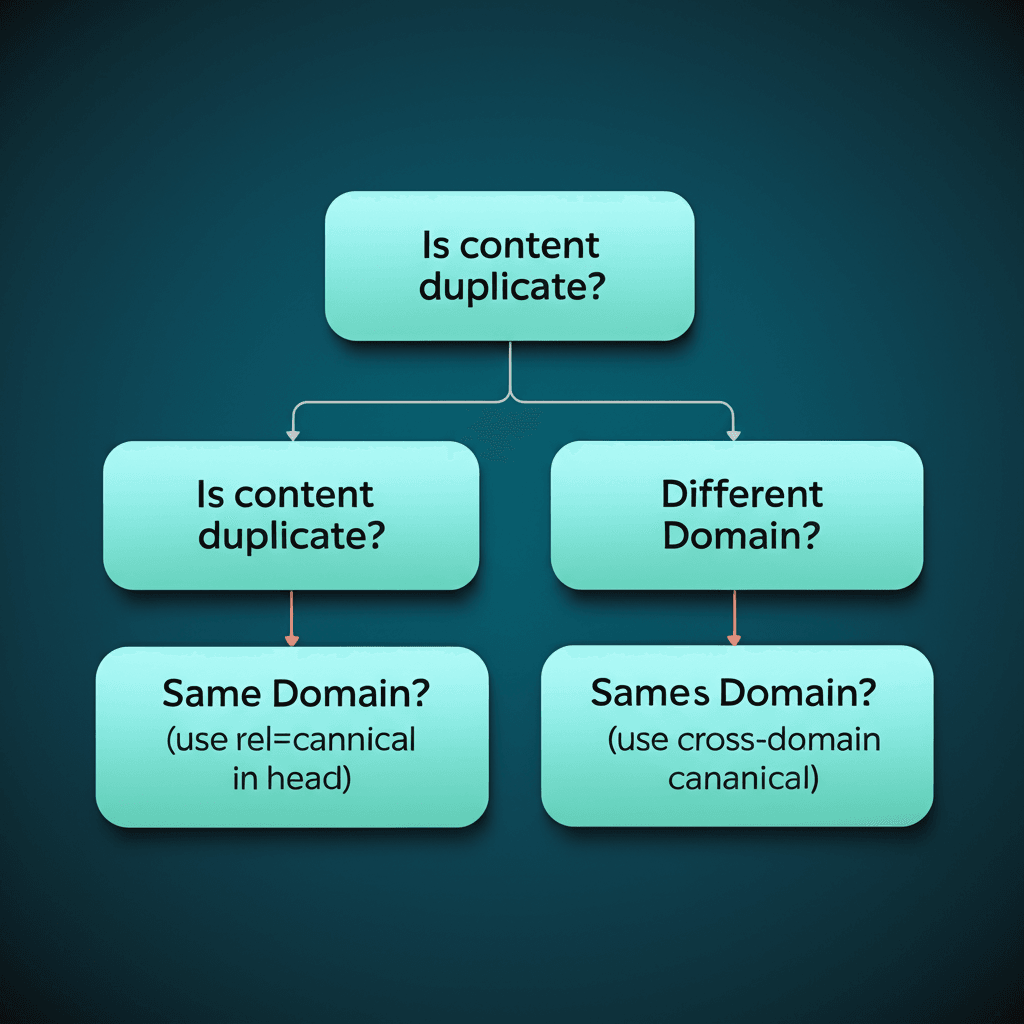
Insider tip: Parameters for tracking, sorting, or filtering are notorious for creating thousands of duplicate URLs on large sites without anyone noticing. External duplication occurs when your content appears on other domains, either through legitimate content syndication or through unauthorized scraping. While the symptoms are similar, the solutions are quite different.
The Usual Suspects: Common Causes of Duplicate Content
Building on that foundation, let’s pull back the curtain on how this duplicate content mess happens in the first place. It’s rarely malicious. Most of the time, it’s an unintentional byproduct of how modern websites are built and marketed. Once you learn to spot the patterns, you’ll see them everywhere.
URL Protocol, Subdomain, and Path Variations
The most common culprits are simple URL variations. To a human, http://example.com and https://www.example.com/ are the same destination. To a search engine crawler, they are four potentially different URLs:
http://example.com
https://example.com
http://www.example.com
https://www.example.com
Add trailing slashes (/page vs. /page/) and capitalization issues, and the problem multiplies. Insider tip: The primary fix here isn’t the canonical tag; it’s server-side 301 redirects. You must enforce one single, canonical version for your entire site. The canonical tag is your safety net, not your first line of defense.
Parameters for Tracking, Sorting, and Filtering
Next up are the query parameters appended to URLs. These are the strings that appear after a question mark (?), often used for tracking clicks (?utm_source=newsletter), managing user sessions (?sessionid=xyz), or filtering content. E-commerce sites are notorious for this. A user sorting a category page by price might generate a URL like /shoes?sort=price_asc. The content is identical to the main category page, but the URL is unique. Without proper canonicalization, you can accidentally create hundreds of thin, duplicate pages that dilute your ranking potential.
Printer-Friendly, AMP, and Staging Sites
Sometimes, we create duplicates on purpose for usability. A printer-friendly version of a blog post is a classic example. More recently, AMP (Accelerated Mobile Pages) create an alternate, stripped-down version of your content hosted on a different URL. These are valid use cases, but each must contain a rel="canonical" tag pointing back to the primary desktop URL. A surprisingly frequent and damaging mistake is allowing a staging or development server (like staging.example.com) to be indexed. If it’s not password-protected or blocked via robots.txt, Google can find it and index an entire copy of your website.
The Solution: Understanding the Canonical Tag (rel=”canonical”)
We’ve detailed the problems that duplicate content can cause, from diluting link equity to confusing search crawlers. Here’s what really matters though: there’s a straightforward, search-engine-approved way to manage it. The primary tool in our kit is the rel="canonical" link element, often just called the canonical tag. Think of it less as a strict command and more as a strong suggestion to search engines. You are essentially telling them, “Of all these pages that look the same, this one is the master copy you should index and rank.”
When Googlebot or Bingbot encounters a canonical tag, it understands that any ranking signals found on the duplicate page—such as backlinks, internal links, or content relevance—should be attributed to the canonical URL. This is the core function: it consolidates your SEO authority. Instead of having three similar pages each with a little bit of link equity, you funnel all of that power into one preferred page, giving it a much better chance to perform well in search results.
Correct Implementation and Syntax
Proper placement is non-negotiable. The canonical tag must be placed within the <head> section of the HTML on all duplicate versions of a page. The syntax is simple and specific:
An insider tip that saves a lot of headaches: always use absolute URLs (the full address, including `https://www…`) instead of relative URLs (like `/preferred-page/`). This prevents potential interpretation errors by crawlers that could lead to them ignoring the tag entirely.
For instance, imagine an e-commerce store where a product is accessible via multiple URLs due to tracking parameters:
Each of these pages should contain the exact same canonical tag in its <head>, pointing back to the clean, preferred version: <link rel="canonical" href="https://shop.com/widgets/blue-widget">. This simple line of code clarifies your intent and focuses all SEO value where it belongs.
Advanced Canonicalization: Best Practices & Edge Cases
And this is where things get practical. Once you’ve mastered the basic concept, you realize canonicalization isn’t just for fixing obvious duplicates. It’s a proactive tool for signaling ownership and consolidating authority. A foundational best practice is implementing a self-referencing canonical tag on every indexable page. This means Page A’s canonical tag points to Page A. It might seem redundant, but it’s your first line of defense against unforeseen query parameters (like from email marketing campaigns) or scrapers creating unintended copies of your content. Think of it as claiming your URL as the one true version from the start.
Beyond the HTML Head
Canonical signals aren’t limited to HTML documents. What about that popular PDF product manual that’s accessible from several different URLs? You can’t place a tag in a PDF’s <head>. Instead, you configure your server to send a canonical link in the HTTP header response. For a request to /downloads/product-v2.pdf, the header would include: Link: <https://www.example.com/products/product-manual>; rel="canonical". This same cross-domain logic is powerful for content syndication. If a major publication republishes your article, having them place a cross-domain canonical pointing back to your original post tells search engines where the authority should flow. It’s the professional way to get distribution without diluting your SEO equity.
Common Pitfalls to Avoid
I’ve seen countless canonical implementations fail due to simple, avoidable errors. These are the mistakes that separate the pros from the amateurs, and they often come from a set-it-and-forget-it mentality.
Using relative URLs: A canonical tag must use an absolute URL (e.g., https://www.example.com/page, not /page). Relative paths are easily misinterpreted by crawlers and can lead to indexing errors.
Pointing to a broken or redirected page: Canonicalizing to a 404 page is a dead end. Pointing to a URL that 301 redirects to another creates a confusing chain for search engines. Always point to the final, 200 OK destination.
Implementing multiple canonicals: Sometimes a plugin adds a canonical tag and another is set in the HTTP header. This sends conflicting signals, causing search engines to ignore both. Pick one method per URL and stick with it.
How to Audit and Fix Your Site’s Duplicate Content
Finding duplicate content isn’t a one-and-done scan; it’s a systematic investigation. You need to combine what search engines are seeing with a technical crawl of what actually exists on your server. This multi-tool approach ensures you catch everything from obvious copy-paste jobs to subtle parameter-based clones.
Start with Google’s Perspective
Your first stop should always be Google Search Console. Navigate to the Pages report and look for two specific statuses: “Duplicate, Google chose different canonical than user” and “Duplicate, submitted URL not selected as canonical.” This isn’t just a list of potential problems; it’s a direct report from Google telling you exactly where it’s confused or overriding your signals. These are your highest-priority issues because Google is actively making a choice you didn’t intend.
Perform a Comprehensive Site Crawl
Next, fire up a crawler like Screaming Frog or Sitebulb to get a complete map of your site’s content. Go beyond the basic “Duplicate Pages” report. Configure your crawl to find duplicate <h1> tags, identical meta descriptions, and pages with a high content similarity percentage. Insider tip: Run one crawl that respects your robots.txt to see what crawlers are allowed to see, then a second that ignores it. The second crawl often uncovers old, blocked development folders or forgotten subdomains that are still live and creating duplicate content issues.
Prioritizing Your Fixes
You’ll likely end up with a long list of URLs. Don’t panic. The key is to prioritize for impact. Here is a simple framework I use:
High Priority: Any duplicates flagged in Google Search Console, especially those affecting your core commercial or informational pages. Fix these first.
Medium Priority: Systemic issues found by your crawler. For example, if every product page has a printable version generated by a URL parameter (e.g., ?print=true) that isn’t canonicalized, fixing the template will solve hundreds of issues at once.
Low Priority: Minor content overlap between two old, low-traffic blog posts. While worth fixing, these won’t move the needle as much.
With this prioritized list, you can methodically apply the correct fix—a rel="canonical" tag, a 301 redirect, or URL parameter handling—knowing you’re spending your time where it matters most.
From Theory to Authority
Ultimately, managing duplicate content isn’t a simple cleanup task—it’s the strategic consolidation of your website’s authority. A common misstep is applying `noindex` to duplicate pages, which nullifies any link equity they hold. The professional approach is to use the canonical tag to funnel that power back to your definitive URL. Every duplicate you resolve is another signal telling search engines precisely which page deserves to rank, clarifying your intent and strengthening its potential.
Your next step is clear: use the framework in this guide to perform a thorough duplicate content audit on your site. By methodically consolidating your signals, you’re not just tidying up; you’re building a stronger foundation for higher rankings and a more resilient SEO presence.
Frequently Asked Questions
What is the difference between a 301 redirect and a canonical tag?
A 301 redirect physically sends both users and search engine bots from one URL to another. A canonical tag is just a hint for search engines, suggesting which URL to index while still allowing users to visit the duplicate URL.
Can I use a canonical tag for slightly different content?
It is not recommended. Canonical tags should be used for pages that are identical or nearly identical. For pages with similar but distinct content (e.g., product pages for different colors), each page should have its own self-referencing canonical tag.
How long does it take for Google to process a new canonical tag?
It can take several days to weeks for Google to recrawl the URLs, process the canonical tag, and consolidate the signals. You can monitor the changes in Google Search Console's URL Inspection tool and Coverage report.