AI Personalization in Web Design: Adaptive UX Guide
Get this: something like 8 out of every 10 A/B tests fail to produce a statistically significant winner. Isn’t that wild? I think it’s because we spend so much time optimizing for an “average” user who, let’s be honest, doesn’t really exist. We end up building one-size-fits-all experiences that don’t fit anyone particularly well, leaving potential conversions on the table.
This is where AI personalization is a total shift. We’re not just talking about swapping out a headline based on location. Imagine your site’s navigation reordering itself based on a user’s clickstream data, or the entire hero section adapting because they came from an ad campaign targeting enterprise clients. It’s about creating one version of your site that intelligently responds to each individual in real-time.
The good news is you don’t need a massive data science team to get started. We’re going to break down the practical steps, looking at the specific behavioral triggers and contextual cues that actually drive results. You’ll walk away understanding how to build a site that feels like it was designed just for that one user.
The New Frontier: What is AI-Powered Personalization?
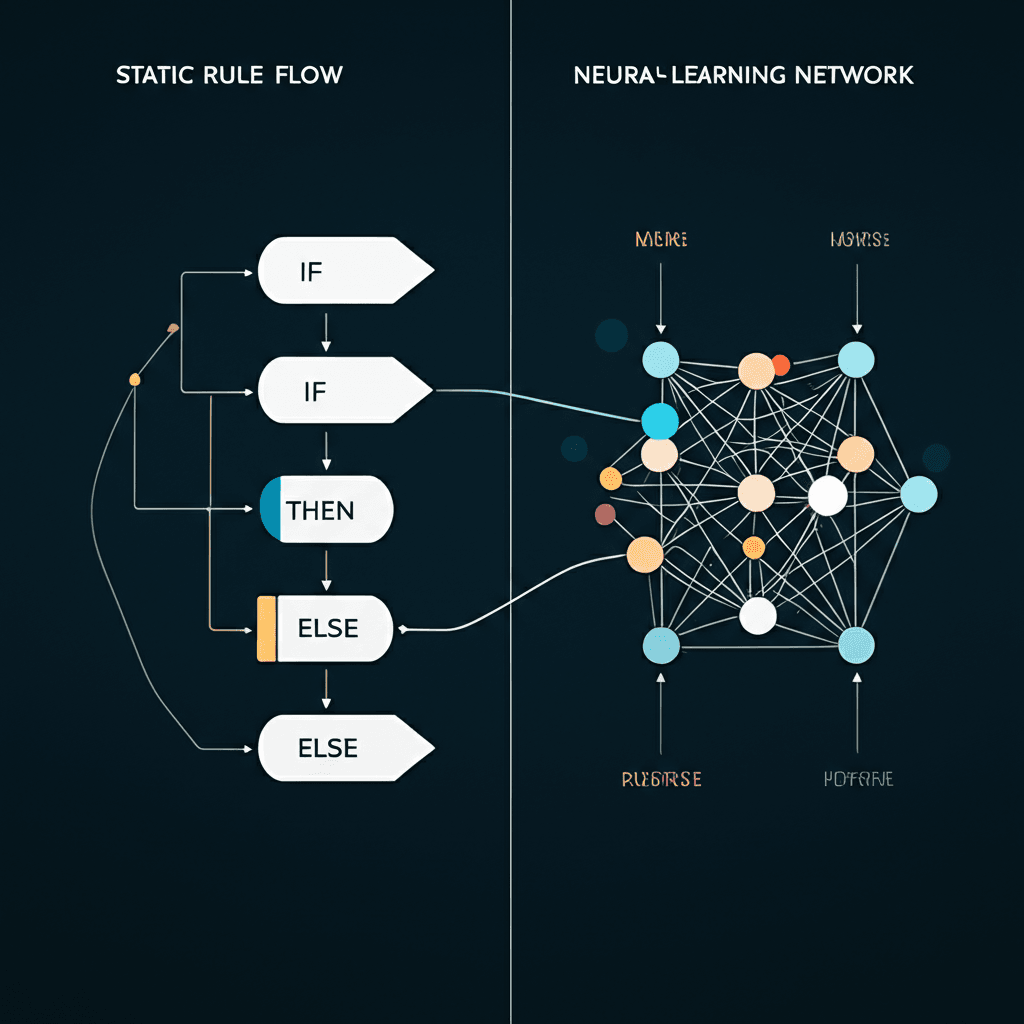
I think for years, we’ve been talking about “personalization,” but what we really meant was customization based on simple rules. You know the drill: if a user is from Canada, show them Canadian pricing. If they’re a returning customer, greet them by name. That’s basic, if-this-then-that logic. It’s static. AI-powered personalization is a completely different animal. It’s not about following a pre-written script; it’s about the website learning, adapting, and improvising in real-time for each individual visitor.
At its heart, this new approach runs on machine learning. Instead of just looking at broad user segments like “moms aged 30-40,” the AI builds a dynamic profile for one single person. It analyzes thousands of data points: click patterns, scroll depth, time spent on a page, past purchases, and even mouse movements. Using predictive models, it starts to understand intent. It’s moving from “what did this user do?” to “what is this user about to do?”
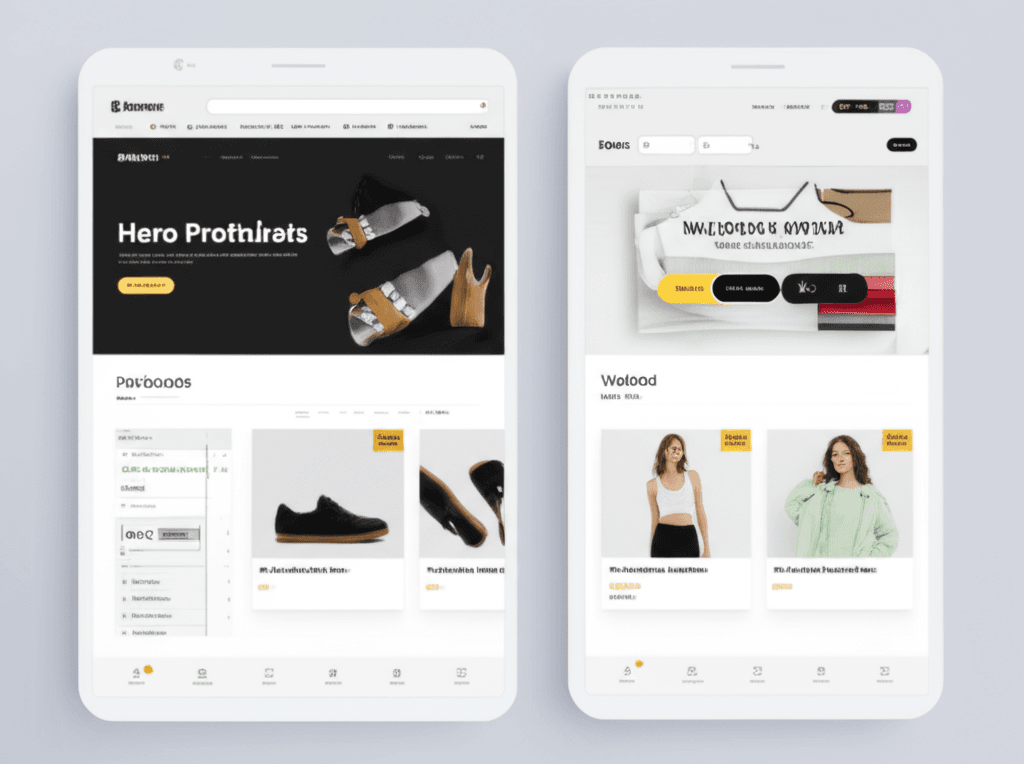
Let me give you a practical example. Imagine an online clothing store. A basic rule-based system might show a user who bought a men’s shirt more men’s shirts. Fair enough. But an AI system notices more. It sees you’re lingering on linen shirts, you’ve previously looked at boat shoes, and the weather forecast for your location is hot. Suddenly, the homepage carousel doesn’t just show random “New Arrivals”; it prioritizes a new collection of summer-weight chinos and sunglasses. The system connected the dots and anticipated your need for a complete warm-weather outfit.
Ultimately, the goal is to create an experience that feels less like a website and more like a conversation with a really helpful sales associate. It’s about anticipating what someone needs before they even type it into the search bar. After all, isn’t that what a truly great user experience is all about?
How It Works: The Building Blocks of an Adaptive Website
Let’s shift gears for a moment and look under the hood. This whole “adaptive experience” thing isn’t magic; it’s a surprisingly logical, three-part system. I think of it as a cycle: fuel, brains, and action. It’s a process that, once you understand it, makes perfect sense.
Data: The Fuel
First, the system needs information—tons of it. It’s constantly collecting data points every time someone visits. This isn’t just about what page you’re on. It’s capturing things like:
Behavioral Data: What did you click? How long did you linger on that product image? Did you use the search bar?
Demographic Data: Your general location (like country or city), the type of device you’re using, and sometimes inferred age or gender groups.
Contextual Data: Are you a first-time visitor or a returning customer? What time of day is it? Is it snowing where you are?
All these little pieces of information become the fuel for the AI engine.
The AI Engine: The Brains
This is where the machine learning algorithms do their work. The engine takes all that raw data and starts looking for patterns. It’s a bit like a detective trying to predict your next move. For instance, a common technique is collaborative filtering, which works on the principle of “people who bought X also tended to buy Y.” The AI builds a complex profile of you, not as a name, but as a collection of behaviors and preferences. It then makes an educated guess about what you, specifically, want to see next.
Delivery and Refinement: The Loop
Based on the AI’s prediction, the website changes in real time. This is the dynamic content delivery. Imagine an online clothing store. The AI knows you’re in Boston in December and have previously looked at men’s shoes. Instead of the generic homepage showing a summer sale, it dynamically swaps the main banner to feature men’s winter boots. But here’s the beautiful part: your reaction becomes more data. Did you click on the boots? Great, the AI learns its prediction was good. Did you ignore it and search for gloves? The system notes that, too. This constant feedback loop means the AI gets progressively smarter and more accurate with every single interaction, continuously refining the experience just for you.
AI Personalization in Action: Applications & Business Impact
And this is where things get practical. It’s one thing to talk about models and data, but it’s another to see how this technology actually reshapes a user’s journey on a real website. I think the best way to understand the impact is to look at a few different fields where this is already happening.
E-commerce
This is the most obvious one, right? We’ve all seen Amazon’s “customers who bought this also bought…” for years. That was an early, simple form of personalization. Today, AI takes it much further. It’s not just about purchase history. The system analyzes your browsing patterns, how long you linger on an image, and even items you add to your cart and then remove. This results in hyper-relevant product recommendations that feel almost psychic. Some stores even use dynamic pricing, offering a small, targeted discount to a user who seems hesitant, nudging them toward a purchase. It’s a powerful tool, but one that requires a careful, ethical approach.
Media & Publishing
Think about Netflix or Spotify. Their entire business model is built on an AI-powered recommendation engine. The goal is to serve you content that keeps you engaged and subscribed. The same principle applies to online news. A publisher’s AI can learn that you’re interested in local politics and tech industry news. Your homepage will then prioritize those stories, while another user’s homepage might feature international finance and sports. This creates a “sticky” experience that makes users feel understood and encourages them to return.
SaaS & B2B
Here, personalization isn’t just about making a sale; it’s about user success and retention. Imagine a new user signing up for a complex project management tool. Instead of a generic, one-size-fits-all tutorial, an AI can create an adaptive onboarding experience. If it detects a user is struggling to set up their first project board, it can proactively display a targeted tooltip or a short video guide for that specific feature. This kind of contextual help is incredibly valuable because it prevents frustration and reduces customer churn.
So, what’s the real business payoff? It’s simple, really. When a user feels like a website understands their needs, they stick around longer (increased engagement), they’re more likely to take a desired action (higher conversion rates), and they develop loyalty that keeps them coming back (improved customer lifetime value). It’s about making the digital experience feel human.
Navigating the Hurdles: Challenges and Ethical Considerations
But wait — there’s more to consider. As much as I love what AI can do for user experience, I think we have to be honest about the tricky parts. It’s not just a plug-and-play solution, and I’ve seen teams get tripped up by underestimating the complexities. There are some serious technical and ethical knots to untangle before you dive in.
Data, Privacy, and the ‘Creepy’ Factor
First off, this all runs on data—a lot of it. That means you are immediately a steward of user information, and with that comes immense responsibility. You have to be absolutely buttoned-up on regulations like Europe’s GDPR or California’s CCPA. This isn’t just about a checkbox on a form; it’s about being transparent with what you’re collecting and why. For example, I once saw a travel site that used my off-site browsing data to immediately show me ads for a destination I’d only briefly searched on Google. It was technically clever, but it felt invasive. There’s a fine line between a helpful suggestion and digital stalking, and crossing it kills user trust instantly.
The Echo Chamber Problem
Then there’s the risk of creating a ‘filter bubble.’ When an AI gets too good at showing people what it thinks they want, it can accidentally wall them off from new discoveries. Think about a streaming service that only recommends sci-fi shows because you watched a few in a row. You might miss out on a fantastic documentary you would have loved. For an e-commerce site, this is even more dangerous. If your algorithm only ever shows a customer mid-range sweaters, they might never discover the premium jacket they would have gladly splurged on. Are you really serving the user if you limit their world?
The Hidden Costs and Complexity
Finally, let’s talk brass tacks. Implementing a sophisticated AI personalization engine isn’t cheap. You don’t just buy a piece of software; you need the talent to manage it. This often means hiring data scientists to build and refine the predictive models and engineers to maintain the complex data pipelines. Your source data has to be clean and well-structured, which is a massive project in itself. It’s a significant, ongoing investment, not a one-time setup.
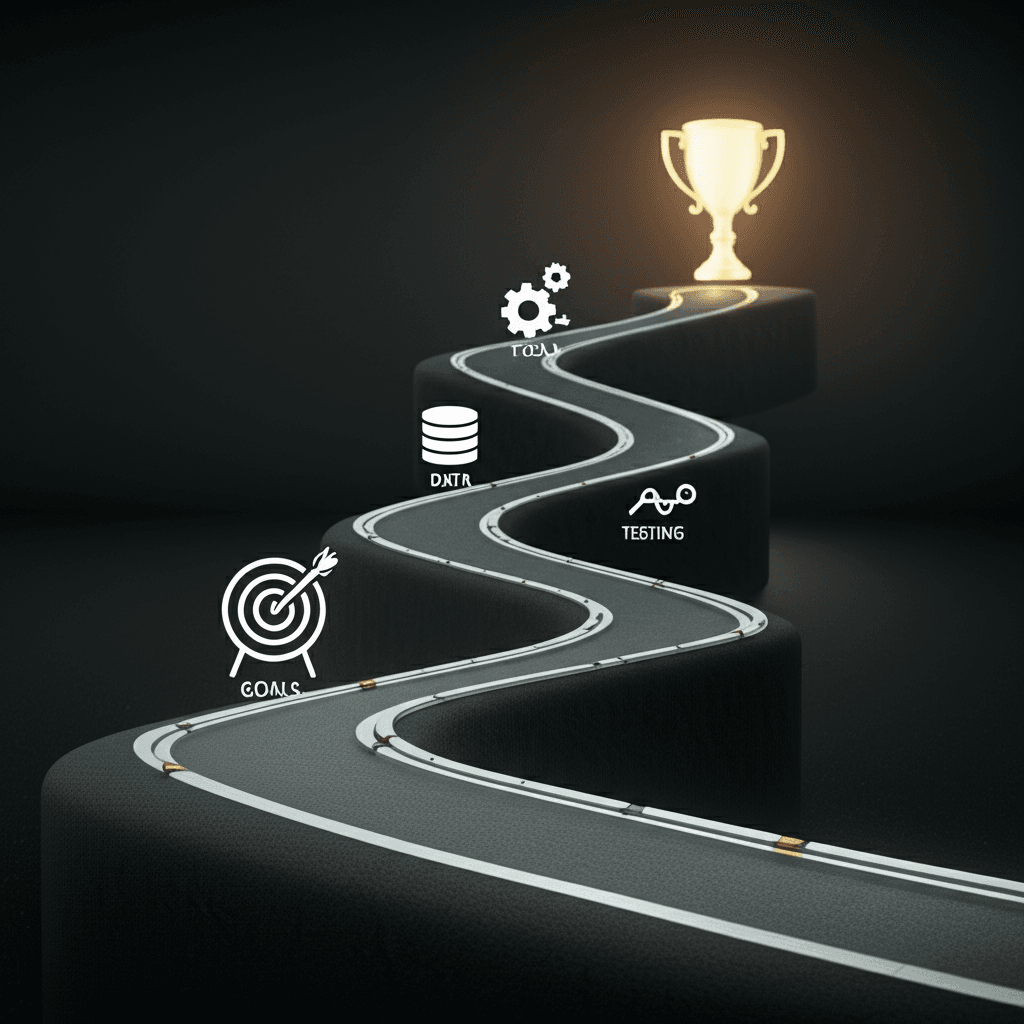
Your Roadmap: How to Get Started with AI Personalization
Alright, so you’re sold on the idea. But where do you even begin? It can feel like a massive undertaking, but I promise it’s manageable if you break it down. I’ve seen companies get this right—and wrong—and the difference is almost always in the setup.
Step 1: Define Your Goals and KPIs
First things first, you need to know what you’re trying to achieve. Seriously. Don’t just say “better engagement.” Get specific. Are you trying to increase the average order value by 10% for returning customers? Or maybe you want to reduce bounce rate by 20% on key landing pages. Having a clear, measurable Key Performance Indicator (KPI) from the start is the only way you’ll know if any of this is actually working.
Step 2: Get Your Foundational Data in Order
AI is smart, but it’s not a mind reader. It runs on data. Your goal here is to create a unified customer profile. This means pulling information from all your different sources—your website analytics, your CRM, past purchase history—into one place. You need a single source of truth for each user. Without clean, consolidated data, your AI will be making guesses, and I think we can agree that’s not a great strategy for growth.
Step 3: Choose the Right Tools
Now you face the classic “build vs. buy” dilemma. Let me be blunt: unless you have a dedicated team of data scientists and engineers, building your own personalization engine from scratch is a massive, expensive distraction. For most businesses, buying an off-the-shelf solution is the way to go. Look for platforms that integrate easily with your existing tech stack and have strong segmentation and testing capabilities. You want a tool that does the heavy lifting for you.
Step 4: Test, Iterate, and Scale
Please don’t try to personalize everything all at once. Start with a small, manageable pilot project. For example, try personalizing just the homepage hero section. For first-time visitors, show a video explaining your brand’s mission. For returning customers, show them products related to their last purchase. Run this as an A/B test against your generic homepage for a few weeks, measure the impact on your KPI, and then decide what to do next. Prove the value on a small scale before you go big.
So, Where Do We Go From Here?
It’s pretty amazing when you think about it, right? I think the biggest takeaway isn’t about the complex code or algorithms. It’s about shifting our mindset. We’re moving away from building a single website for everyone and toward creating a unique, responsive experience for each person who visits. It’s about using this smart technology to make your website feel less like a static brochure and more like a helpful, intuitive conversation partner.
Honestly, I believe we’re heading toward a future where every interaction online feels personal and genuinely helpful. Imagine the possibilities for connection and growth when you start building that smarter experience today.
Frequently Asked Questions
What is the difference between personalization and customization in web design?
Personalization is done by the system for the user, using AI and data to automatically tailor the experience (e.g., Netflix recommendations). Customization is done by the user for themselves, where they manually change settings or preferences (e.g., choosing a light or dark mode).
Do I need a huge amount of data to start with AI personalization?
Not necessarily. While more data improves accuracy, you can start with fundamental behavioral data like pages viewed, time on site, and referral source. The key is to implement a robust data collection strategy early and build upon it over time.
What are some popular AI personalization tools for websites?
Several platforms offer AI personalization capabilities, ranging in complexity. Some popular examples include Dynamic Yield, Optimizely, Adobe Target, Insider, and Google Optimize, which offer features for A/B testing, segmentation, and AI-driven recommendations.