Building every feature from scratch is a sign of a developer who values effort over impact. It’s a hard lesson, one I learned after spending weeks coding a custom user authentication system early in my career. I was proud of the complex hashing and session management I’d engineered, but it was a security liability and a nightmare to maintain. The moment I replaced that entire module with a single Auth0 integration, my entire development philosophy changed.
I realized my job wasn’t to reinvent solved problems. It was to deliver value. That’s the real purpose of API integration. You’re not outsourcing your work; you’re connecting your application to specialized, world-class services for things like payments with Stripe, communications with Twilio, or data from a headless CMS.
This isn’t just about theory. We’re going to walk through the practical mechanics of connecting your site to an external tool. You’ll learn how to make that first RESTful API call, what to do with the JSON response you get back, and how to properly handle your secret keys so your application remains secure and efficient.
What is an API? The Digital Handshake Explained
I remember building my first simple e-commerce site years ago. Everything worked, but when it came time to process a credit card, I froze. How could my little website possibly talk to a massive, secure banking network? The answer, I learned, was a digital messenger, a go-between that handles these exact kinds of conversations. That messenger is an API, which stands for Application Programming Interface.
The best way I’ve found to explain it is with a restaurant. Imagine your website is a customer sitting at a table. The kitchen, full of ingredients and busy chefs, is the third-party service you want to connect with—say, a payment processor like Stripe or a mapping service like Google Maps. You can’t just walk into the kitchen and make your own food. You need a waiter. The waiter is the API.
You give the waiter a specific request (“I’d like to charge this credit card $19.99”). The waiter takes that order to a specific station in the kitchen, known as an endpoint. The kitchen processes the order and gives the waiter a response—either a confirmation (“The payment was successful”) or an error (“The card was declined”). The waiter then brings that response back to you. Your website never needs to know the complex details of how the kitchen works; it only needs to know how to talk to the waiter.
This entire process is governed by a strict set of rules, like a menu. This “contract” dictates exactly what you can ask for and what kind of answer you’ll get back. Often, you’ll also need an API Key—think of it as a reservation name or a membership card that proves to the restaurant that you’re a legitimate customer authorized to place an order. It’s this structured, predictable communication that allows two completely separate software systems, often built by different companies in different programming languages, to perform a perfect digital handshake.
Why API Integration is Crucial for Modern Websites
I remember a project from about ten years ago. The client was ambitious, insisting their team build everything from the ground up: a custom user authentication system, a bespoke mapping feature, even their own payment processing logic. We warned them, but they were determined to own every line of code. Six months in, they had a buggy map and a payment form that made the security team nervous. The core product was completely neglected.
This brings us to something often overlooked in the rush to build: the staggering opportunity cost of reinventing the wheel. The modern web isn’t built by lone geniuses in a garage; it’s assembled by intelligently connecting specialized, powerful services. This is the entire point of API integration. Instead of spending your budget building a mediocre version of something that already exists, you can plug directly into a world-class solution.
Think about it. Why would you build a payment gateway when you can integrate Stripe in a matter of days? They’ve already spent millions solving the hard problems, like global payment types and meeting strict PCI compliance standards. Why build a mapping service when the Google Maps API can give you directions, place data, and street views that are better than anything you could create in a year? An API isn’t just code; it’s instant access to another company’s entire infrastructure and expertise.
This approach fundamentally changes how you build. Your team gets to focus on what makes your business unique, not on foundational tasks. Users get a better experience because they interact with polished, familiar tools they already trust. Your application also becomes easier to maintain. When Google updates its maps or Stripe adds a new payment method, you often get those improvements automatically. You are no longer responsible for maintaining a complex system outside your core competency. You simply manage the connection.
Common Types of APIs in Web Development
I remember a project years ago where we were pulling user profile data. The only thing our little dashboard widget needed was a person’s name and their avatar URL. But the API endpoint we had to use sent back everything: their full address, account history, last login date, and a dozen other fields we didn’t need. Our app felt sluggish because it was constantly downloading and parsing this massive payload. It was a classic case of using a sledgehammer to crack a nut.
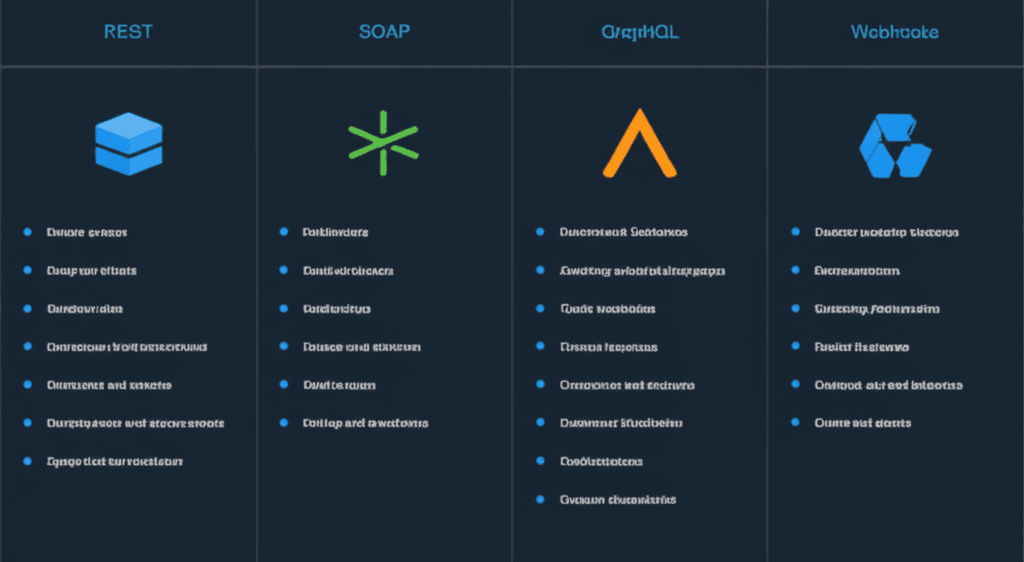
That experience taught me a lot about how different API designs solve different problems. Here’s what really matters though: knowing which tool to grab from the toolbox. While there are many flavors, you’ll most likely run into one of these four.
REST (Representational State Transfer)
Think of REST as the default, the lingua franca of the web. It’s not a strict protocol but an architectural style that uses standard HTTP methods you already know. You use GET to retrieve data, POST to create it, PUT to update it, and DELETE to remove it. It’s flexible, stateless (meaning each request is independent), and powers a huge portion of the web services you use daily.
SOAP (Simple Object Access Protocol)
If REST is a flexible conversation, SOAP is a formal, notarized contract. It’s a highly structured protocol that relies on XML for its message format. You’ll find it in older, enterprise environments—think banking, insurance, or big corporate systems where strict standards and security are paramount. It’s more rigid than REST but offers built-in standards for things like security and transactions.
GraphQL
GraphQL is the modern answer to the problem I had with that user profile API. It’s a query language that lets the client application ask for exactly the data it needs, nothing more. Instead of hitting multiple endpoints to gather information, you can send a single, precise query and get a perfectly tailored response. This efficiency is why companies like Facebook, its creator, rely on it so heavily.
Webhooks
Webhooks flip the script entirely. Instead of your application constantly asking a server “Is it done yet?”, a webhook lets the server tell you when something happens. It’s a ‘reverse API.’ For example, when a customer’s payment successfully processes through Stripe, Stripe sends a notification (an HTTP POST request) to a URL you’ve specified. This is perfect for real-time, event-driven actions, saving you from polling for updates.
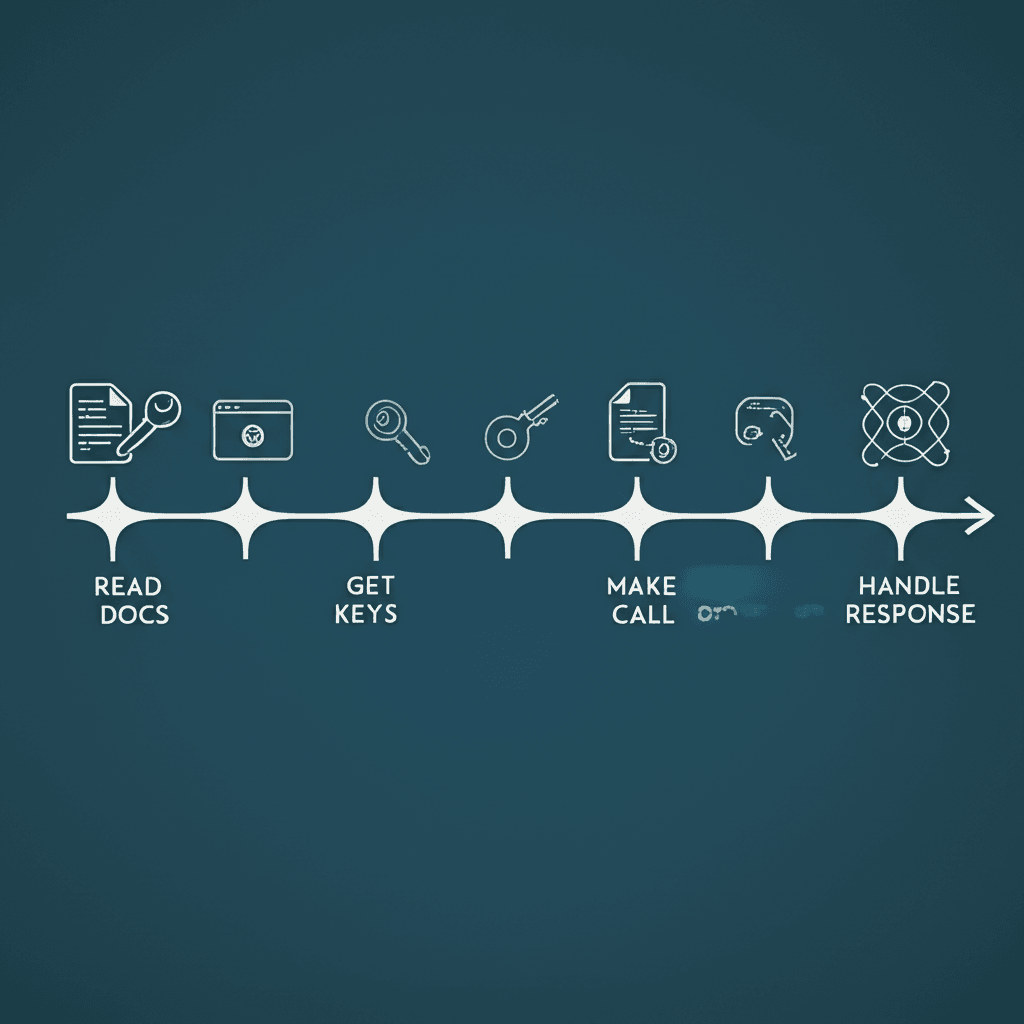
How to Integrate a Third-Party API: A 4-Step Process
I remember the first time I integrated a payment gateway. I figured it would be a quick copy-paste job from their examples. An hour, tops. I was wrong. The initial excitement of seeing a “payment successful” message in my test environment quickly gave way to the messy reality of handling failed transactions, different card types, and security tokens. The code worked, but it was fragile. But wait — there’s more to consider than just getting a successful response once. Over the years, I’ve refined my approach into a reliable, four-step process.
1. Become Best Friends with the Documentation
Your first stop is always the documentation. I mean it. Pour yourself a coffee and settle in, because this is the blueprint for everything that follows. You’re not just skimming; you’re looking for the map. What are the specific URLs (endpoints) you need to hit? What information do they expect you to send? And just as important, what are their rules, like rate limits that dictate how many requests you can make per minute? Ignore this step, and you’re just flying blind.
2. Get Your Keys to the Kingdom
Next, you need credentials. Think of this as getting a key to a private club. For many APIs, this is a simple API key—a long string of characters you include in your request to identify yourself. For integrations involving user data (like a “Log in with Google” button), you’ll likely encounter OAuth, a more involved process that acts like a multi-step handshake to grant permissions. Whatever the method, protect these keys. Never commit them directly into your public code repository; use environment variables instead.
3. Make the Call
With your map and key in hand, it’s time to actually make the API call. This is where you write the code that sends the request. If you’re working in the browser, you’ll probably use the JavaScript Fetch API. On a server, you might use a library like Axios for Node.js or Requests for Python. You’re packaging up your request—the endpoint, your API key, and any required data like a product ID—and sending it off, waiting for a reply.
4. Catch and Process the Data
If all goes well, the API sends back a success status (like the famous HTTP 200 OK) and a payload of data, usually in JSON format. Your job is to parse this response, pull out the exact pieces of information you need—say, the `current_temperature` from a weather API’s response—and use it. But a good integration anticipates failure. You must build in error handling to gracefully manage situations where the API is down, your key is invalid (a 401 Unauthorized error), or the requested item isn’t found (a 404).
Best Practices for Secure and Efficient API Integration
I’ll never forget the day a junior developer on my team went quiet, his face pale. He had just accidentally pushed a live payment gateway API key to a public GitHub repository. The automated vulnerability-scanning bots found it in under five minutes. We managed to revoke the key before any damage was done, but it was a stark reminder that connecting to the outside world comes with responsibilities. Building a great integration isn’t just about making it work; it’s about making it work well and safely.
Keep Your Secrets Safe
That story brings me to my first, most unshakeable rule: API keys and secrets never, ever belong in your client-side code or committed to version control. They are keys to your kingdom. The standard practice is to use environment variables. You create a file (often named .env) that is listed in your .gitignore file, and your server-side code reads the keys from the server’s environment. This keeps them out of your repository and away from prying eyes. If your application needs to make an API call from the browser, build a proxy endpoint on your own server that adds the secret key before forwarding the request.
Plan for Failure, Not Just Success
APIs fail. They time out, return unexpected errors, or go down for maintenance. Your code must anticipate this. Don’t just write for the “happy path” where you get a perfect 200 OK response. What will your site do if the weather API you rely on returns a 503 Service Unavailable error? Will the whole page crash? A better approach is to wrap your API calls in try-catch blocks, log the errors to a service for later debugging, and display a graceful fallback message to the user. A blank space is better than a broken page.
Be a Good Neighbor and Cache Responses
Most API providers enforce rate limits—a cap on how many requests you can make in a given period. Exceed it, and you’ll get a 429 Too Many Requests error and potentially a temporary block. This is where caching becomes your best friend. If you’re pulling a list of blog categories that only changes once a day, there’s no reason to hit the API on every single page load. You can store the response in a cache like Redis or even a simple in-memory store for a set period. This dramatically speeds up your application, reduces your API usage, and keeps the service provider happy. It’s a win for everyone.
Beyond the Code: Your Next Connection
I used to see my websites as self-contained little worlds, limited by what I could code from scratch. Then I discovered APIs, and the walls came down. It’s a fundamental shift in thinking: you stop being just a builder and become an architect, connecting powerful, specialized services. Your project becomes a hub, drawing strength from the best tools on the internet to create an experience far richer than you could craft alone. Ready to enhance your website? Start exploring the API documentation for your favorite tools and see what powerful new features you can build today.
Frequently Asked Questions
What is the difference between an API and a webhook?
An API works by you making a request to get data from a server (polling). A webhook is a 'reverse API' where the server automatically sends data to you (pushes) when a specific event happens, enabling real-time updates.
Are all APIs free to use?
No. While many services offer free tiers for developers, most commercial APIs operate on a subscription or pay-as-you-go model. Always check the API documentation for pricing and usage policies.
What is an API key?
An API key is a unique string of characters that an API uses to identify and authenticate your application. It's crucial for tracking usage, controlling access, and ensuring security.