You’ve poured resources into creating exceptional content, but your organic traffic chart is flatlining. It’s a deeply frustrating position, and the answer often isn’t ‘better keywords’ or ‘more backlinks’. The real bottleneck is frequently hidden deep within your site’s technical foundation, silently sabotaging your efforts before Google even has a chance to see your work. A misconfigured robots.txt file or a confusing internal linking pattern can make your best pages practically invisible.
From my experience auditing hundreds of sites, these foundational issues are where most SEO campaigns fail. They don’t fail because of a complex algorithm change; they fail because of wasted crawl budget on parameter URLs or because critical pages are orphaned, receiving no link equity. These are the unglamorous but high-impact problems that separate sites that struggle from those that dominate the search results.
This checklist is your systematic plan to fix that. We will move through a precise workflow focused on the three pillars: making your site easy to crawl, ensuring your key pages get indexed, and structuring your architecture for maximum authority flow. You will learn how to diagnose and resolve the exact technical roadblocks that are holding your site back right now.
Section 1: Foundations: Mastering Crawlability in 2026
Before we discuss keywords or content, we have to talk about access. Crawlability is simply how effectively a search engine bot, like Googlebot, can discover and move through your website. If bots cannot get through the door, your best content might as well not exist. This is not a “set it and forget it” task; it is the absolute foundation of your entire SEO effort. Get this wrong, and everything else becomes a waste of time.
Your Core Crawlability Checklist
Think of this as your bouncer’s instructions for the search engine bots. It is about giving them clear directions and a smooth path to your most valuable pages.
Robots.txt Sanity Check: Your robots.txt file guides bots. It does not block indexing. A common mistake is a rogue Disallow: / from a staging site making it to production, effectively cloaking the entire site. Use Google’s Robots.txt Tester to validate your rules and ensure you are not accidentally blocking critical CSS or JavaScript files, which can prevent proper rendering.
XML Sitemap Health: Your sitemap should be a clean, curated list of your best URLs. It must be free of 404s, redirects, and non-canonical pages. Submitting a messy sitemap is like handing a guest a map with dead ends; it erodes trust and wastes the bot’s time. Keep it current and submit it via Google Search Console.
Crawl Budget Audit: Google allocates a finite “crawl budget” to your site. You can easily waste it on low-value pages like infinite filtered navigation results or old session ID URLs. Server log file analysis is the only true way to diagnose this. By reviewing logs, you can see precisely where Googlebot is spending its time and block off the wasteful sections.
Server & Redirect Hygiene: Every 5xx server error is a hard stop for a bot. Every link in a 3xx redirect chain is a small hop that eats up crawl budget. A single redirect is fine, but I once audited a site where a primary navigation link went through four internal redirects before landing. That is an expensive click for a bot.
Consider an e-commerce client who could not figure out why their new product categories were not getting indexed. A quick log file analysis showed Googlebot was spending 80% of its budget crawling thousands of parameter-based URLs generated by their new color swatch filter. By adding a simple Disallow rule in their robots.txt for that parameter, we redirected the crawl budget back to their actual category pages, which were indexed within a week.
Section 2: The Gateway to Google: Optimizing for Indexability
Getting Googlebot to visit your pages is just step one. But here’s where it gets interesting. A successful crawl doesn’t guarantee a spot in the search results; it just means you’ve been invited to the party. To actually get on the guest list—Google’s index—you need to pass the bouncer. This process is called indexability, and it’s controlled by a series of specific directives that tell Google what to keep and what to ignore.
Controlling the Gates with Directives
The most direct command you can give is the meta robots tag. It’s a simple line in your page’s <head> that tells search engines whether to index or noindex the content. A shockingly common mistake is launching a new site with a global “noindex” tag left over from the staging server, effectively making the entire domain invisible to Google. Always check this on key pages post-launch.
Then you have the canonical tag, using the attribute rel=”canonical”. This isn’t for blocking pages but for managing duplicate content. Imagine an e-commerce store where the same product page is accessible via multiple URLs from filtering:
/shirts/cool-shirt (the master URL)
/shirts/cool-shirt?color=blue
/shirts/cool-shirt?sort=price_low
The canonical tag on the variant pages points back to the master URL, consolidating ranking signals and preventing Google from getting confused. Without it, you’re splitting your SEO authority across multiple identical pages.
The Hidden Indexing Blockers
Sometimes, the problem isn’t in the page’s HTML. I once worked on a site where a key landing page refused to get indexed despite having a clear “index” tag. After hours of debugging, we found the culprit: an X-Robots-Tag: noindex directive hidden in the HTTP header, placed there by a misconfigured server plugin. Always use Google’s URL Inspection Tool to check both the HTML source and the HTTP response for conflicting signals.
Finally, remember that Google has the final say. Even with perfect technical signals, a page with “thin content”—low-quality, auto-generated, or scraped text—may be crawled but deemed unworthy of the index. Your content must provide genuine value to earn its place.
Section 3: Architecting for Success: Modern Site Structure
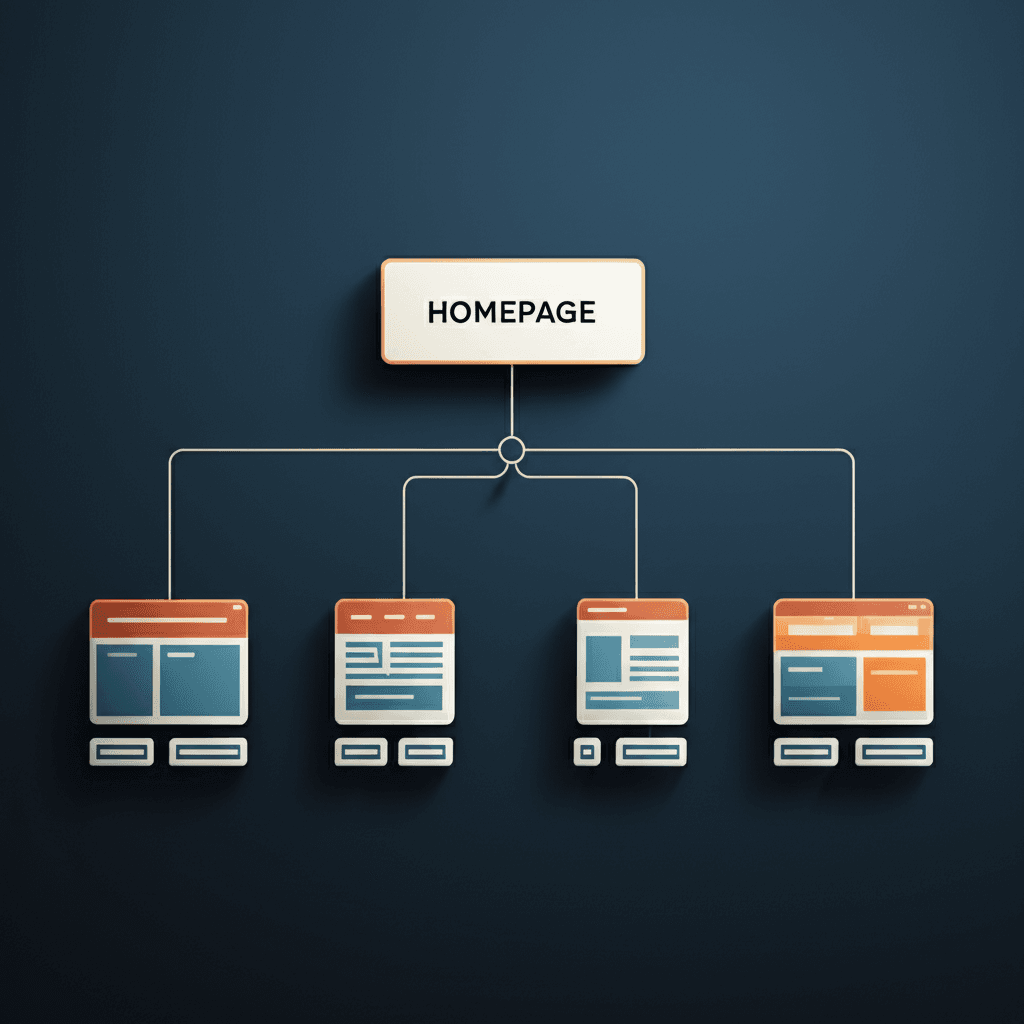
Building on that foundation of a crawlable site, let’s talk about its blueprint. A messy, confusing architecture makes it difficult for search engine bots to understand which pages are most important and how they relate. A clean, logical structure, on the other hand, guides both users and crawlers efficiently, signaling topical authority from the moment they arrive.
From Mess to Mastery: Implementing a Logical URL Structure
The core of a strong architecture is a logical URL structure, often organized into “silos” or topic clusters. This isn’t just about tidy folders; it’s about grouping related content to build topical depth. For example, a financial planning site should use a structure like yoursite.com/retirement/401k/ and yoursite.com/investing/stocks/, not a flat structure with disconnected pages. This immediately tells Google you have expertise in distinct topics. An insider tip: The biggest mistake I see is creating these silos as an afterthought, which forces a massive redirect project. Plan your primary categories from day one.
Internal Linking: Directing Authority and Relevance
Internal links are the pathways that distribute authority—often called “link equity”—throughout your site. Your homepage and other high-authority pages act as reservoirs of this equity. Your job is to build channels from these reservoirs to your most important commercial or informational pages. Every link should serve a purpose, connecting semantically related concepts. And please, vary your anchor text. Instead of hammering the exact same keyword, use natural phrases like “our guide to Roth IRAs” or “learn more about these investment strategies” to provide context.
Keeping It Close: Click Depth and Breadcrumbs
How many clicks does it take to get from your homepage to your most important service page? If the answer is more than three, you likely have a click depth problem. Pages buried deep within a site are perceived as less important by search engines and are harder for users to find. A shallow architecture keeps your key content accessible. A simple, effective tool for this is implementing breadcrumbs. They offer clear navigational cues for users (e.g., Home > Investing > Stocks) and create a trail of keyword-relevant internal links that reinforces your site’s structure for search engines.
Section 4: The Need for Speed & Security: Core Technical Signals
Let’s shift gears for a moment. While a perfect site structure gets Google’s crawlers in the door, a slow or insecure site will have them—and your users—running for the exit. These are not just user experience factors; they are direct technical signals that Google uses to evaluate your site’s quality and trustworthiness.
Auditing Core Web Vitals
Your starting point is Google’s Core Web Vitals (CWV). Forget just chasing a high PageSpeed Insights score. Focus on the three metrics that matter for user experience: Largest Contentful Paint (LCP) for loading performance, Interaction to Next Paint (INP) for interactivity, and Cumulative Layout Shift (CLS) for visual stability. INP’s replacement of FID means Google now cares about the entire user interaction, not just the initial delay. Use the CWV report in Google Search Console to see real-world field data, which is far more valuable than one-off lab tests.
Security & Mobile Experience as Standard
By 2026, HTTPS isn’t a recommendation; it’s the price of entry. A common mistake I still see is “mixed content,” where an HTTPS page insecurely loads resources like images or scripts. Use your browser’s DevTools console to spot these warnings. This security posture extends to a flawless mobile experience. With mobile-first indexing, how your site performs on a 4G connection is what defines its ranking potential. Your responsive design must be fast and functional, not just a shrunken version of your desktop site.
Smart Optimization: The Image Example
Performance gains often come from simple, targeted fixes. Images are the lowest-hanging fruit. I once worked on an e-commerce site where converting their massive hero banner JPEGs to next-gen WebP format and properly sizing them for mobile viewports cut their LCP by nearly a full second. That single change moved thousands of pages from ‘Needs Improvement’ to ‘Good’ in their CWV report, followed by a measurable lift in organic traffic. Always compress your images and use modern formats whenever possible.
Section 5: Advanced Audits & Future-Proofing for 2026
With a solid foundation in place, we can now look beyond the standard checklist. The technical SEO that wins in 2026 is not just about fixing errors; it is about providing search engines with clean, machine-readable data and anticipating their next moves. This is where you build a genuine competitive advantage.
Mastering Structured Data and International Signals
Schema markup is more than a way to get review stars in the SERPs. Think of it as a direct line of communication with search engines, clarifying your content’s meaning. For an e-commerce site, this means implementing detailed Product schema with nested Offer and AggregateRating properties. A common mistake is only validating the raw HTML; you must inspect the rendered DOM to confirm that your JavaScript-injected schema is actually present and correct. For international sites, getting hreflang tags right is a constant battle. The most frequent failure point is the lack of return links. If your US page points to your UK page, the UK page must have a corresponding tag pointing back. Without this confirmation, the entire implementation can be ignored.
Confronting JavaScript and AI-Driven Search
Auditing a JavaScript-heavy website requires a different mindset. Google’s two-wave indexing process is real, meaning some content might not be seen for days or weeks after the initial crawl. Your goal is to ensure all critical content and links are available in the initial HTML payload. Use the URL Inspection Tool in Google Search Console and check the rendered HTML screenshot—if you cannot see it there, Googlebot probably cannot either. This principle extends directly to preparing for AI-driven search experiences. Are you just writing content, or are you structuring data for synthesis? For example, a “how-to” article should be marked up with HowTo schema, with each step clearly defined. AI models will likely use these structured steps to construct a direct answer, making your site the cited source. Your content must be the most complete and easily parsed source of truth on a topic.
Ultimately, future-proofing your site means thinking less about keywords and more about entities and answers. The technical structure you build today will determine whether your content is simply crawled or truly understood and used by the next generation of search.
Beyond Ticking the Boxes
Too many teams get bogged down in simply ticking boxes. The real goal isn’t just fixing isolated errors; it’s engineering a frictionless pathway for search engines to understand and reward your content. A common pitfall is the ‘one-and-done’ audit. Your site is a living entity, and small oversights in crawlability or structure compound over time, silently capping your growth. True technical mastery is about proactive maintenance, not reactive fixes. Ready to move from theory to action? Download our free interactive checklist and pick one core template on your site—like a product or article page—and perform a focused audit against it this week.
Frequently Asked Questions
What is the difference between crawlability and indexability?
Crawlability is about a search engine's ability to access your website's content. If a page can't be crawled, it can't be found. Indexability is the next step: a search engine's ability to analyze and add that crawled content to its massive database (the index). A page can be crawlable but not indexable if, for example, it has a 'noindex' tag.
How often should I perform a technical SEO audit?
A comprehensive technical SEO audit is recommended at least twice a year. However, you should perform monthly or quarterly health checks on critical elements like your XML sitemap, robots.txt, and Core Web Vitals to catch any issues before they impact your rankings.
Is site structure really that important for SEO in 2026?
Absolutely. As websites grow larger and AI-driven search becomes more sophisticated, a logical site structure is more critical than ever. It helps search engines understand the relationship between your pages, distributes link equity effectively, and provides a better user experience, all of which are strong ranking factors.